Industry Connection: Neogen Available in CattleMax
Connect CattleMax with Neogen
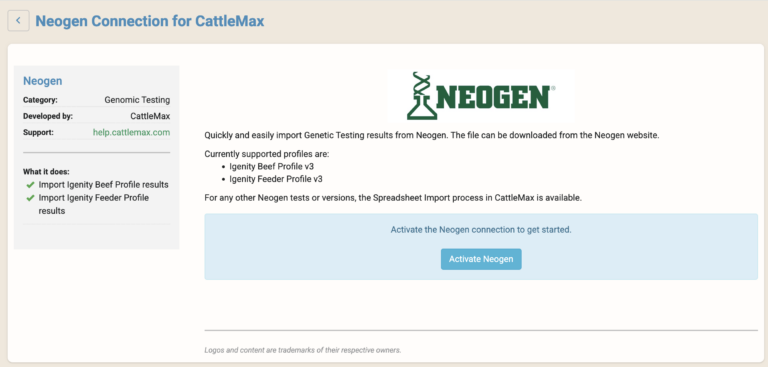
CattleMax connects with Neogen genomic testing, making it easier to bring genomic test results into your herd records without manual data entry. Once connected, you can import Neogen Beef and Feeder test results directly into CattleMax, keeping important genetic information connected to each animal record.
Keep DNA results connected to each animal record alongside breeding, health, performance, and production data.
Genomic information provides valuable insight, but only when it’s connected to the records you use every day.
With this connection, you can:
View DNA results alongside health, breeding, performance, and production records
Make more informed selection and management decisions
Eliminate manual data entry and reduce errors
Keep genomic information connected to individual animal records
Import Neogen genomic test results directly into CattleMax
"Genomics gives us a glimpse into an animal's genetic future. That insight allows us to make smarter decisions at weaning instead of waiting years to discover which cattle truly rise to the top."