Industry Connection: Fusion Available in CattleMax
Connect CattleMax with Fusion
Bring individual animal records into the feedlot from day one.
CattleMax now connects with Fusion, a software program used by some feedlots. This makes it easier to share detailed cattle records at the time of sale. Instead of starting over or re-entering data, important animal information can move with your cattle through a simple export process, helping reduce duplicate data entry, minimize errors, and improve visibility from day one.
This connection helps carry forward the work you’ve already done, so your records stay useful beyond the ranch.
Good records don’t stop being valuable once cattle leave your operation.
With this connection, you can:
Send cattle records to feedlots that use Fusion with individual animal records already in place
Reduce duplicate data entry between the ranch and the feedlot
Minimize handoff errors at the time of sale
Share important background information to support better visibility from arrival
How It Works
Getting started is simple:
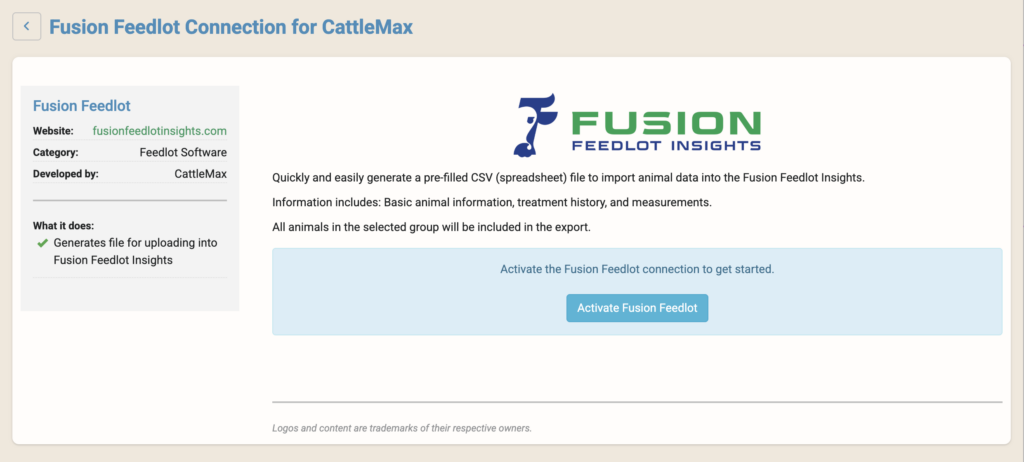
In your CattleMax account, go to: Settings → Partner Connections → Fusion
Activate the connection in your CattleMax account
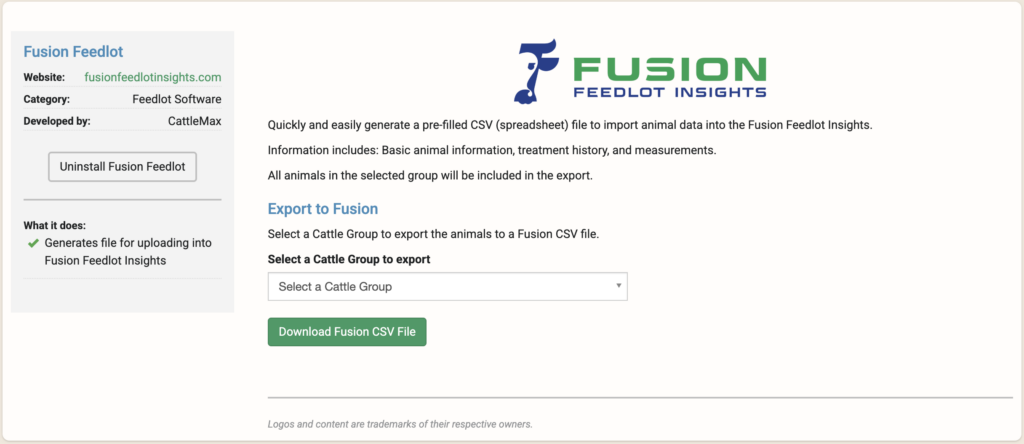
Select a group of animals to create the CSV file needed for Fusion (Creating a cattle group ahead of time is recommended)
Download the Fusion-ready CSV file from CattleMax
Share or import the file into Fusion
Activate the Fusion connection directly from your CattleMax Partner Connections settings
What You Can Do
Once connected, you can quickly export key animal data from CattleMax into a Fusion-ready CSV file for feedlot import.
Export cattle groups directly from CattleMax to a Fusion-ready CSV file
Share individual animal records, including health, breeding, calving, weaning, weights, and sales data
Provide feedlots with important background information upon arrival
Improve data accuracy and consistency across systems
Help ensure cattle are set up correctly in the feedlot from day one
The exported file includes key data such as:
Electronic ID (EID)
Tag number (management tag/ear tag number)
Sex, breed, and color
Birthdate and ranch source
Withdrawal date and animal history
Hip height and frame score
Thriftiness and temperament scores
Birth weight
Wean date and weaning weight
Who This Is a Good Fit For
This connection is designed for ranchers who want a smoother data transition from ranch to feedlots using the Fusion software and better continuity of records.
It’s a great fit if you:
Sell cattle to feedlots using Fusion
Want to reduce paperwork and duplicate data entry
Value accurate, consistent records across systems
Want cattle to arrive with complete, usable information
Integration Notes
This connection creates a preset CSV export file for use with Fusion. Fusion does not have access to your CattleMax account, records, or login credentials.
Ready to Connect Fusion with CattleMax?
Carry your records forward and make the most of the data you’ve already collected.